-

Software Development
A perfect combination of innovation, flexibility and adaptability and ease makes our software the ideal solution for any type of business (small or large sized).
Our objective is to provide the most excellent and brilliant software solutions to our customers. Read More -

Web Development
The Internet is an active and ever changing environment and we create plans that fit within your needs and budget.
We offer full support to your web design to make it informative and attractive. Read More -

Mobile Apps
We offer complete package provides our valuable customers with mobile applications that utilize the full extent of mobile applications programming for Android, BlackBerry, iPhone, Windows Mobile, Kindle, and Symbian, amongst others. Read More
- 1
- 2
- 3
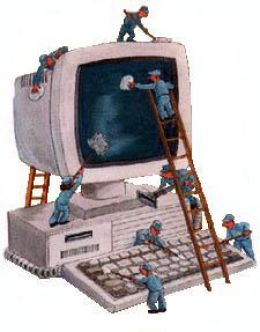
Cleaning the Computer and its Components

Cleaning the computer and its components
Cleaning your computer and your computer components and peripherals helps keep the components and computer in good working condition and helps keep the computers from spreading germs. In the picture to the right, is a good example of how dirty the inside of your computer case can get. In this example, its obvious that all the dirt build up will prevent proper air flow and may even prevent the fan from working.
How often should I clean my computer?
The frequency of how often you should clean your computer varies on several different factors.To help you determine how often you need to clean your computer we've created the below chart. Check each of the boxes below that apply to your computers environment to determine how often it should be cleaned.
General cleaning Tips
Below is a listing of general tips that should be taken when cleaning any of the components or peripherals of a computer as well as tips to help keep a computer clean.
Never spray or squirt any liquid onto any computer component. If a spray is needed, spray the liquid onto a cloth and then use that cloth to rub down the component.
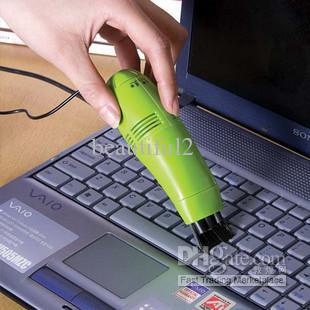
You can use a vacuum to suck up dirt, dust, or hair around the computer on the outside case. However, do not use a vacuum for the inside of your computer as it generates a lot of static electricity that can damage the internal components of your computer. If you need to use a vacuum to clean the inside of your computer, use a portable battery powered vacuum designed to do this job or try using compressed air.
When cleaning a component or the computer, turn it off before cleaning.
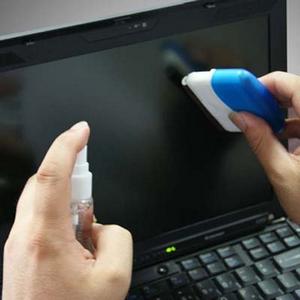
Be cautious when using any cleaning solvents; some individuals may have allergic reactions to chemicals in cleaning solvents and some solvents can even damage the case. Try to always use water or a highly diluted solvent.
When cleaning, be careful not to accidentally adjust any knobs or controls. In addition, when cleaning the back of the computer, if anything is plugged in, make sure not to disconnect any of the plugs.
When cleaning fans, especially the smaller fans within a portable computer or laptop it's suggested that you either hold the fan or place something in-between the fan blades to prevent it from spinning. Spraying compressed air into a fan or cleaning a fan with a vacuum may cause damage or back voltage to be generated.
Never eat or drink around the computer.
Limit smoking around the computer.
Cleaning tools
Cloth - A cloth is the best tool used when rubbing down a component; although paper towels can be used with most hardware, we recommend using a cloth when ever possible.

Water or rubbing alcohol - When moistening a cloth, it is best to use water or rubbing alcohol. Other solvents may be bad for the plastics used with your computer.
Portable Vacuum - Sucking the dust, dirt, hair, cigarette particles, and other particles out of a computer can be one of the best methods of cleaning a computer.
Cotton swabs - Cotton swaps moistened with rubbing alcohol or water are excellent tools for wiping hard to reach areas in your keyboard, mouse, and other locations.
Foam swabs - Whenever possible, it is better to use lint-free swabs such as foam swabs.
Source: http://www.computerhope.com